React Performance tracks
React Performance tracks என்பது உங்கள் browser developer tools-இல் உள்ள Performance panel timeline-ல் தோன்றும் சிறப்பான custom entries.
இந்த tracks, React-specific events மற்றும் metrics-ஐ network requests, JavaScript execution, event loop activity போன்ற முக்கிய data sources உடன் Performance panel-இல் ஒரே unified timeline-ல் synchronized ஆக visualize செய்து, React application performance குறித்து developers-க்கு முழுமையான insights வழங்க வடிவமைக்கப்பட்டவை.
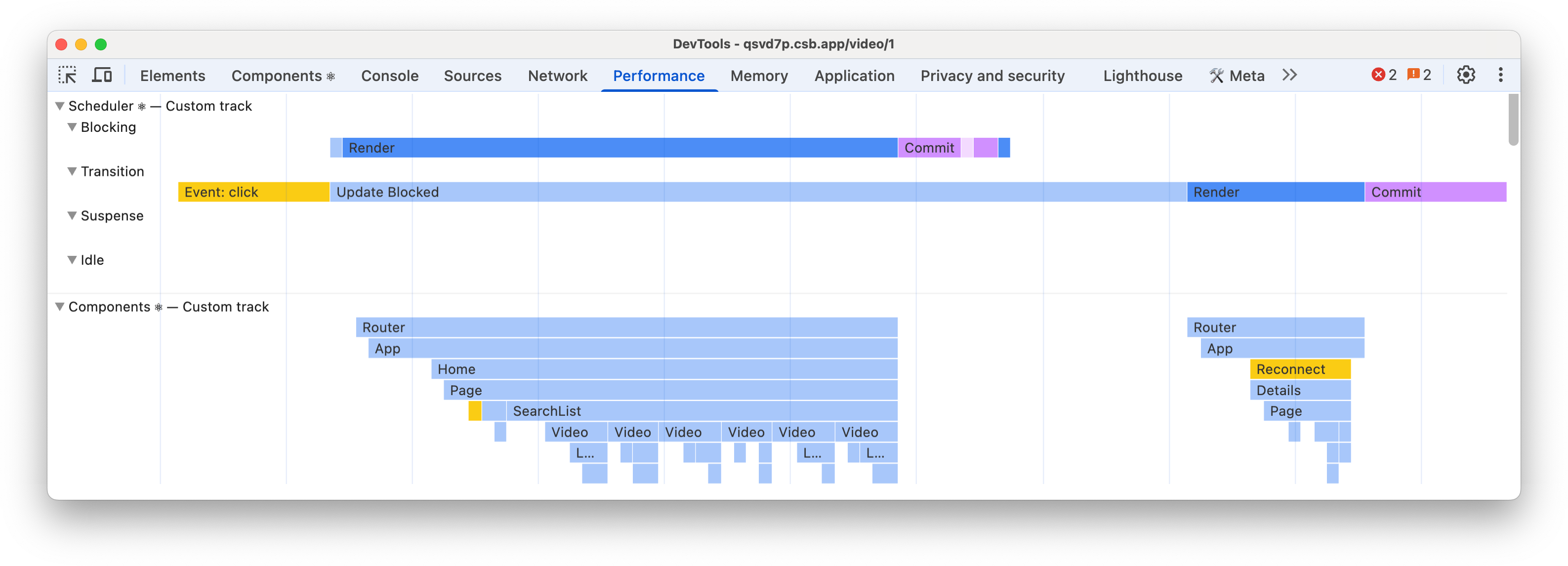
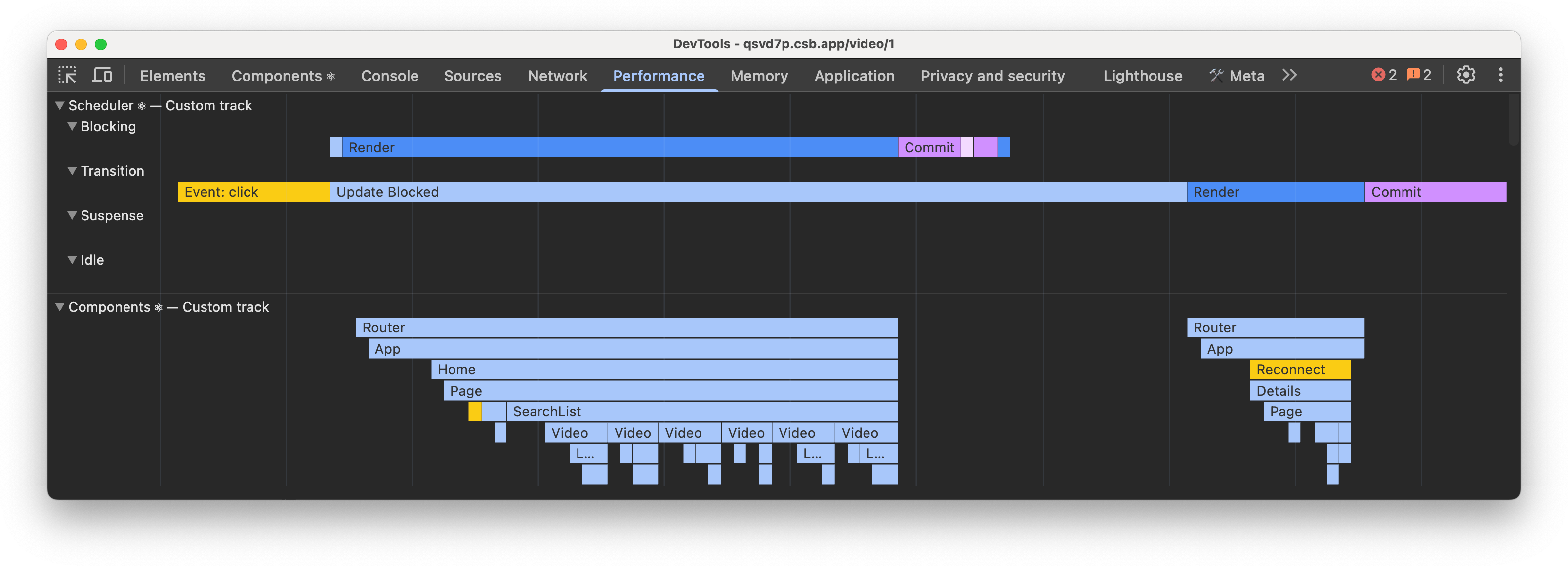
பயன்பாடு
React Performance tracks, React-ன் development மற்றும் profiling builds-இல் மட்டுமே கிடைக்கும்:
- Development: default-ஆக enabled.
- Profiling: default-ஆக Scheduler tracks மட்டும் enabled. Components track,
<Profiler>-ஆல் wrap செய்யப்பட்ட subtrees-இல் உள்ள Components-ஐ மட்டும் list செய்யும். React Developer Tools extension enabled இருந்தால்,<Profiler>-இல் wrap செய்யப்படாவிட்டாலும் எல்லா Components-மும் Components track-இல் சேர்க்கப்படும். Profiling builds-இல் Server tracks கிடைக்காது.
Enabled இருந்தால், extensibility APIs வழங்கும் browsers-ன் Performance panel கொண்டு record செய்யும் traces-இல் tracks தானாகத் தோன்ற வேண்டும்.
Profiling builds பயன்படுத்துதல்
Production மற்றும் development builds-க்கு கூடுதலாக, React ஒரு special profiling build-யையும் கொண்டுள்ளது.
Profiling builds பயன்படுத்த, react-dom/client-க்கு பதிலாக react-dom/profiling பயன்படுத்த வேண்டும்.
ஒவ்வொரு react-dom/client import-ஐயும் manually update செய்வதற்கு பதிலாக, build time-இல் bundler aliases மூலம் react-dom/client-ஐ react-dom/profiling-க்கு alias செய்ய பரிந்துரைக்கிறோம்.
உங்கள் framework, React-ன் profiling build-ஐ enable செய்ய built-in support கொண்டிருக்கலாம்.
Tracks
Scheduler
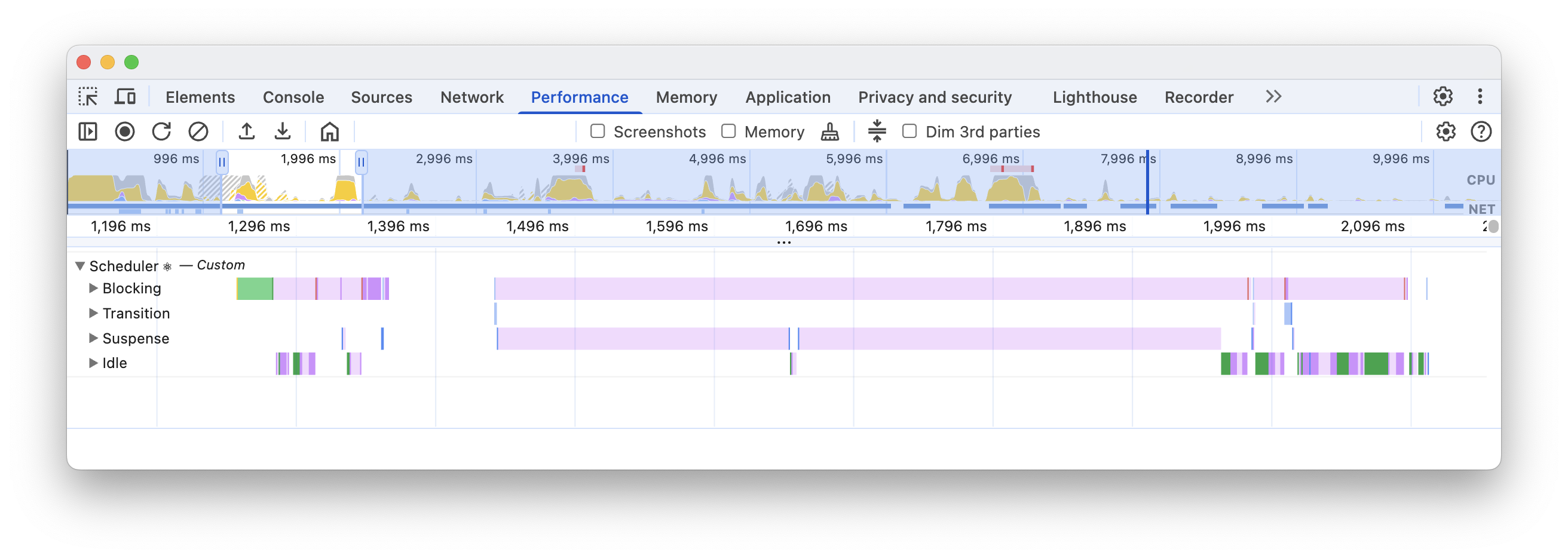
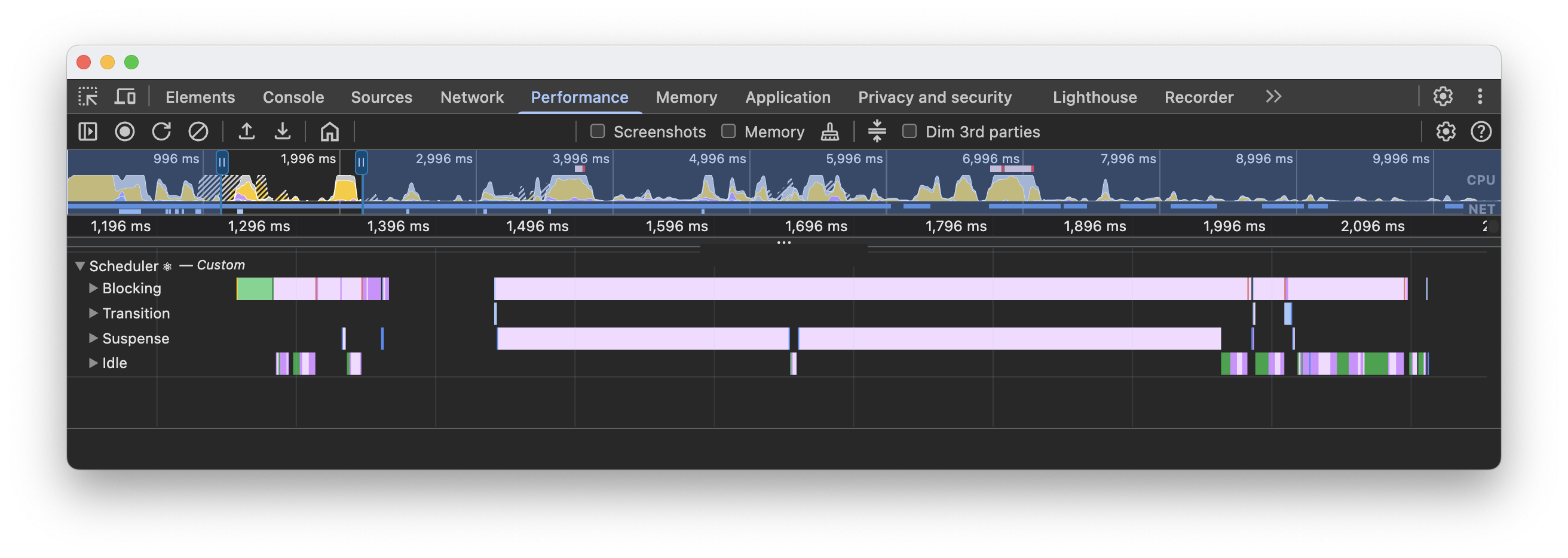
Scheduler என்பது வெவ்வேறு priorities கொண்ட tasks-ஐ manage செய்யப் பயன்படுத்தப்படும் internal React concept. இந்த track 4 subtracks கொண்டுள்ளது; ஒவ்வொன்றும் குறிப்பிட்ட priority-யில் உள்ள work-ஐ பிரதிநிதித்துவப்படுத்துகிறது:
- Blocking - User interactions மூலம் தொடங்கியிருக்கக்கூடிய synchronous updates.
- Transition - Background-இல் நடக்கும் non-blocking work; பொதுவாக
startTransitionமூலம் தொடங்கப்படும். - Suspense - Fallbacks display செய்வது அல்லது content reveal செய்வது போன்ற Suspense boundaries தொடர்பான work.
- Idle - அதிக priority கொண்ட வேறு tasks இல்லாதபோது செய்யப்படும் மிகக் குறைந்த priority work.
Renders
ஒவ்வொரு render pass-மும் timeline-இல் காணக்கூடிய பல phases கொண்டது:
- Update - புதிய render pass-க்கு காரணமானது.
- Render - Components-ன் render functions-ஐ call செய்து React updated subtree-ஐ render செய்கிறது. அதே color scheme-ஐப் பின்பற்றும் Components track-இல் rendered components subtree-ஐ காணலாம்.
- Commit - Components render ஆன பிறகு, React changes-ஐ DOM-க்கு submit செய்து
useLayoutEffectபோன்ற layout effects-ஐ run செய்யும். - Remaining Effects - Rendered subtree-ன் passive effects-ஐ React run செய்கிறது. இது பொதுவாக paint-க்கு பிறகு நடக்கும்; அப்போது React
useEffectபோன்ற hooks-ஐ run செய்கிறது. Clicks போன்ற user interactions அல்லது பிற discrete events ஒரு அறியப்பட்ட விதிவிலக்கு. இந்த scenario-வில், இந்த phase paint-க்கு முன் run ஆகலாம்.


Renders மற்றும் commits பற்றி மேலும் அறிக.
Cascading updates
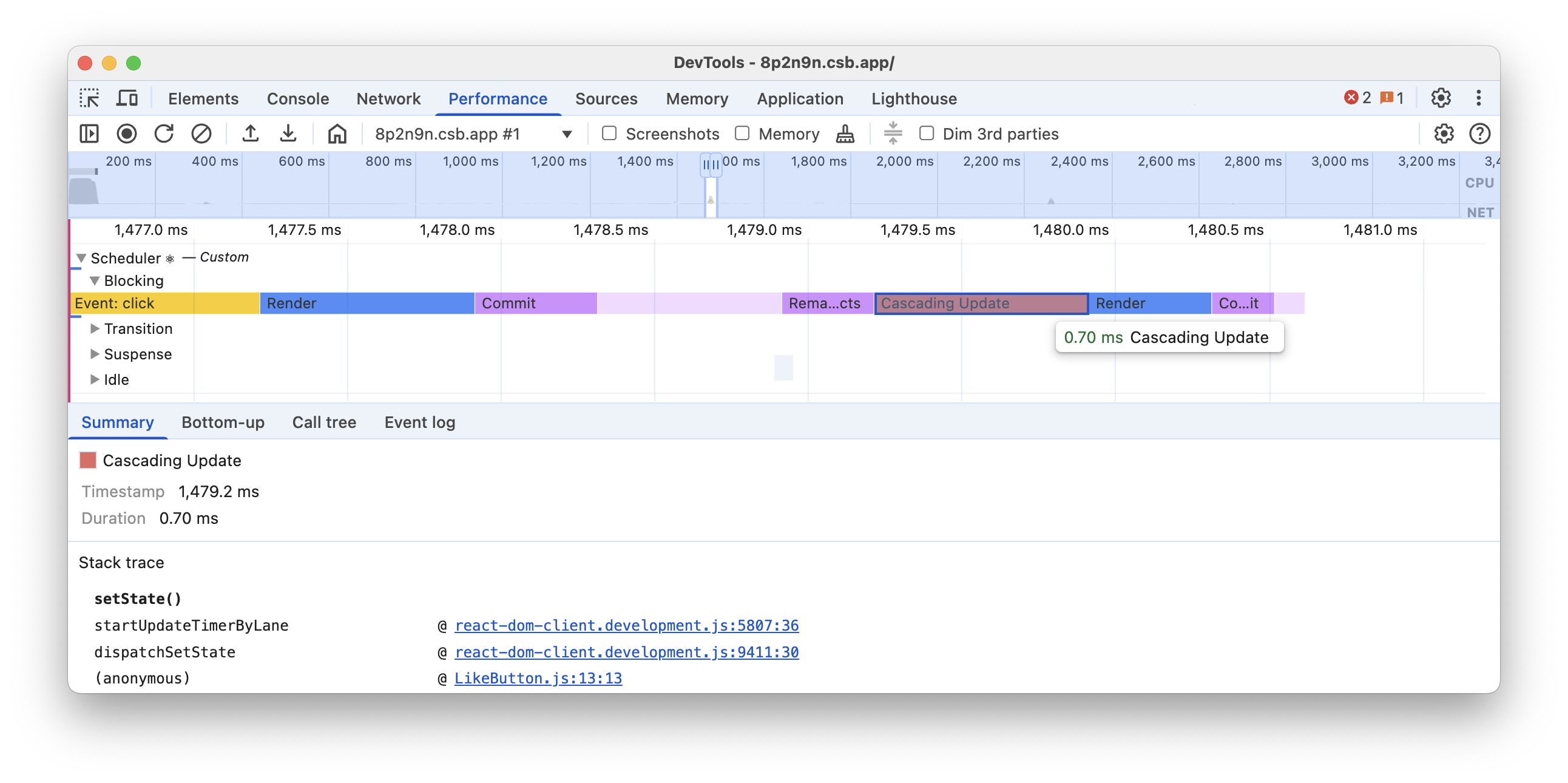
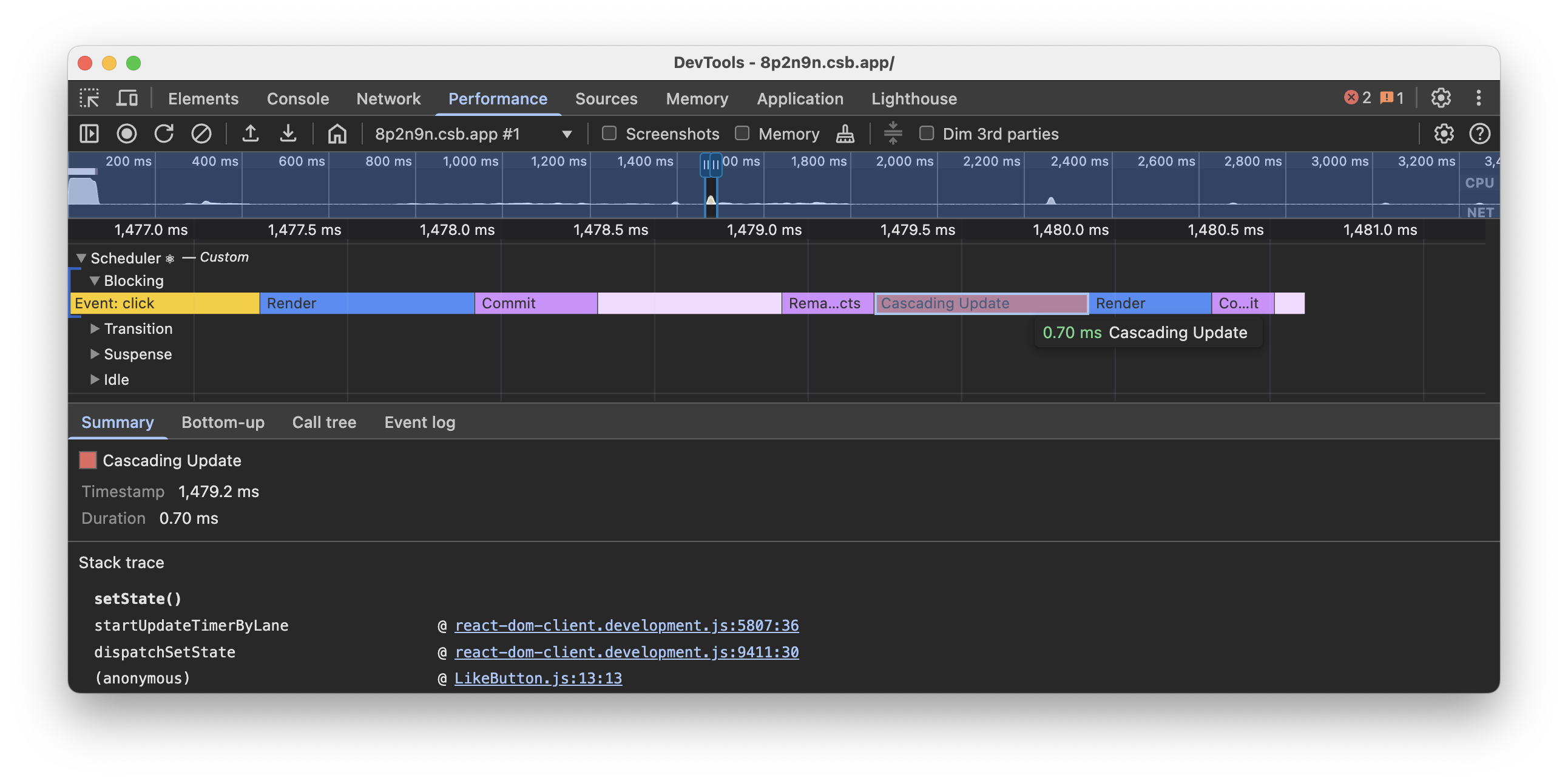
Cascading updates என்பது performance regressions-க்கான patterns-இல் ஒன்று. Render pass நடக்கும் போது update ஒன்று scheduled ஆனால், React முடிக்கப்பட்ட work-ஐ discard செய்து புதிய pass தொடங்கலாம்.
Development builds-இல், எந்த Component புதிய update schedule செய்தது என்பதை React காட்ட முடியும். இதில் general updates மற்றும் cascading updates இரண்டும் அடங்கும். “Cascading update” entry-ஐ click செய்தால் enhanced stack trace-ஐ காணலாம்; update schedule செய்த method name-யையும் அது display செய்ய வேண்டும்.
Components
Components track, React components-ன் durations-ஐ visualize செய்கிறது. அவை flamegraph ஆக display செய்யப்படும்; ஒவ்வொரு entry-யும் தொடர்புடைய component render மற்றும் அதன் descendant children components அனைத்திற்குமான duration-ஐ பிரதிநிதித்துவப்படுத்தும்.
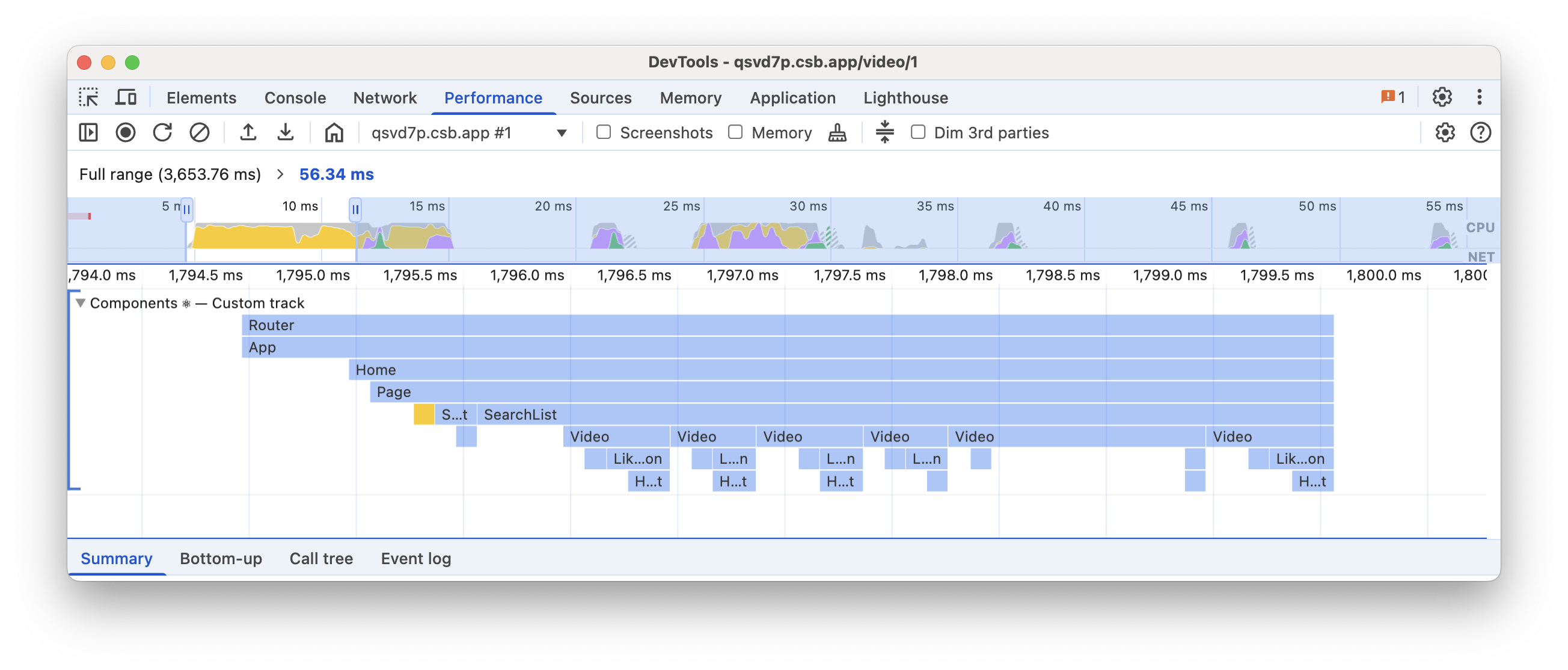
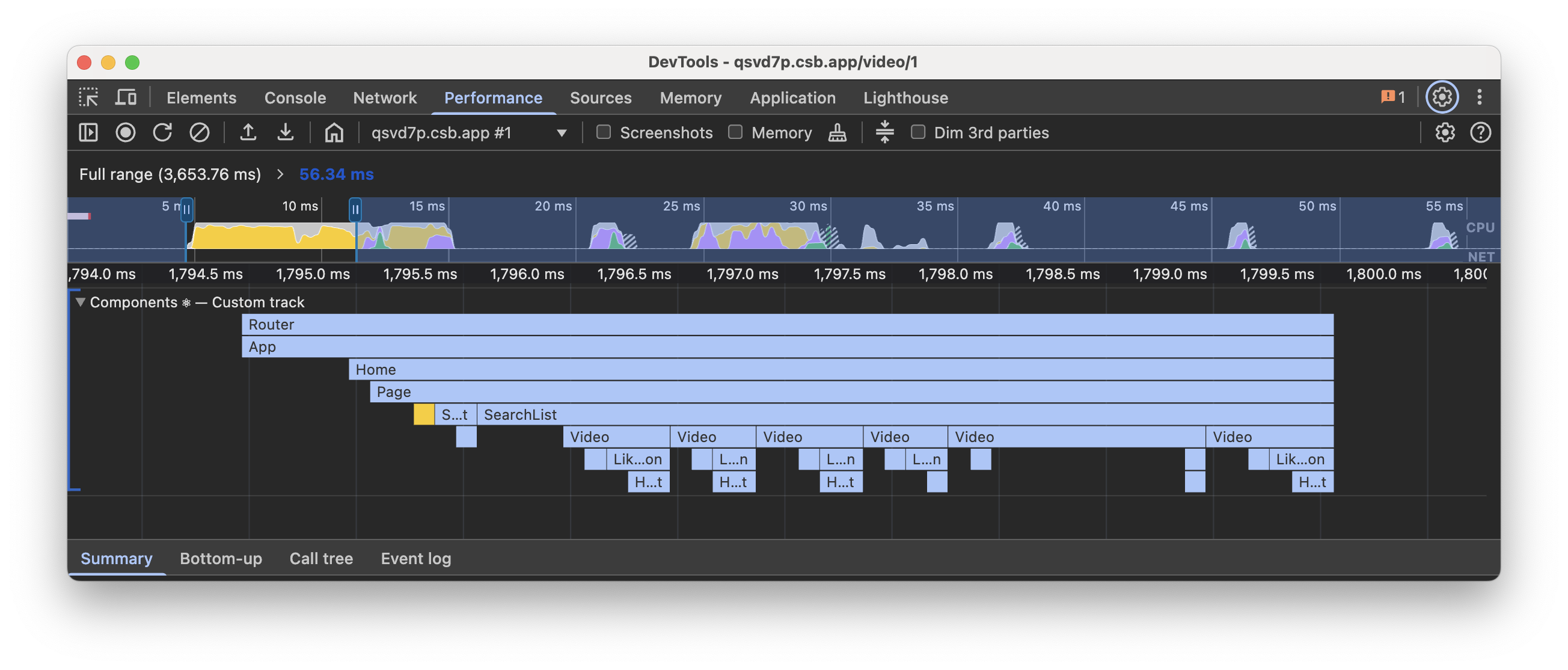
Render durations போலவே, effect durations-மும் flamegraph ஆக பிரதிநிதித்துவப்படுத்தப்படுகின்றன; ஆனால் Scheduler track-இல் உள்ள தொடர்புடைய phase உடன் align ஆகும் வேறு color scheme-யுடன் இருக்கும்.
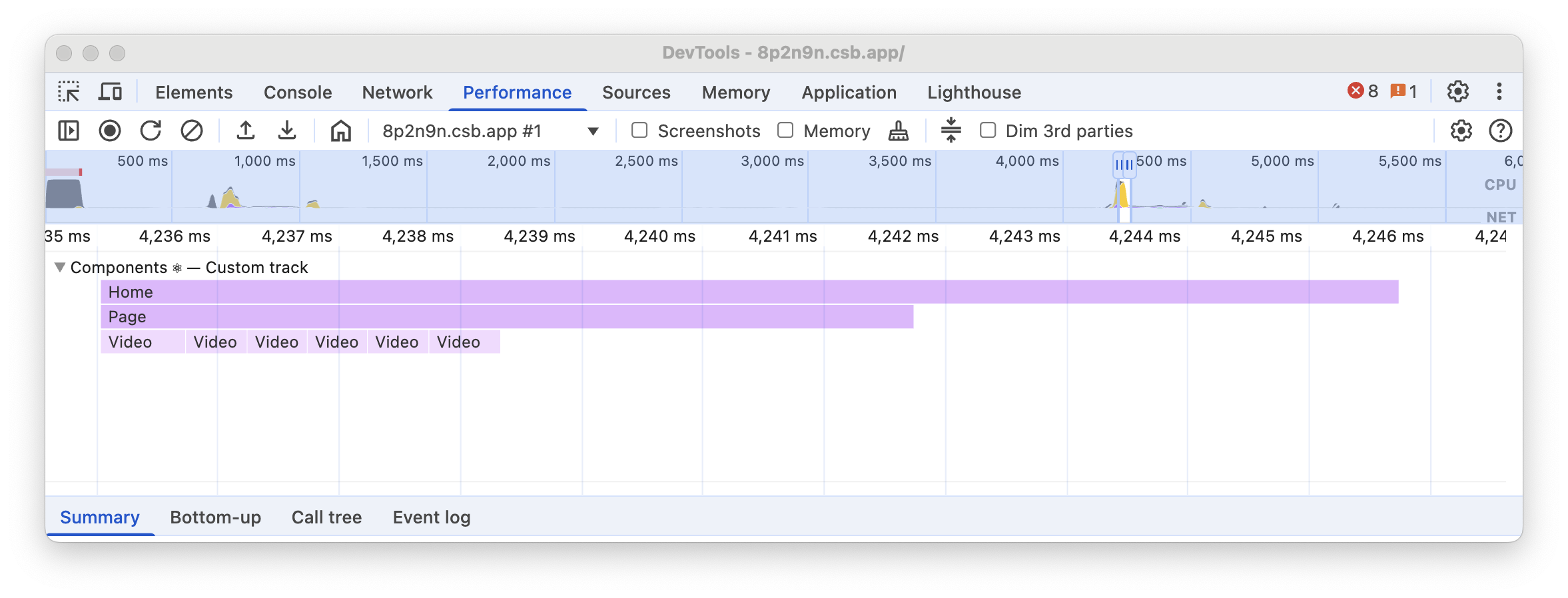
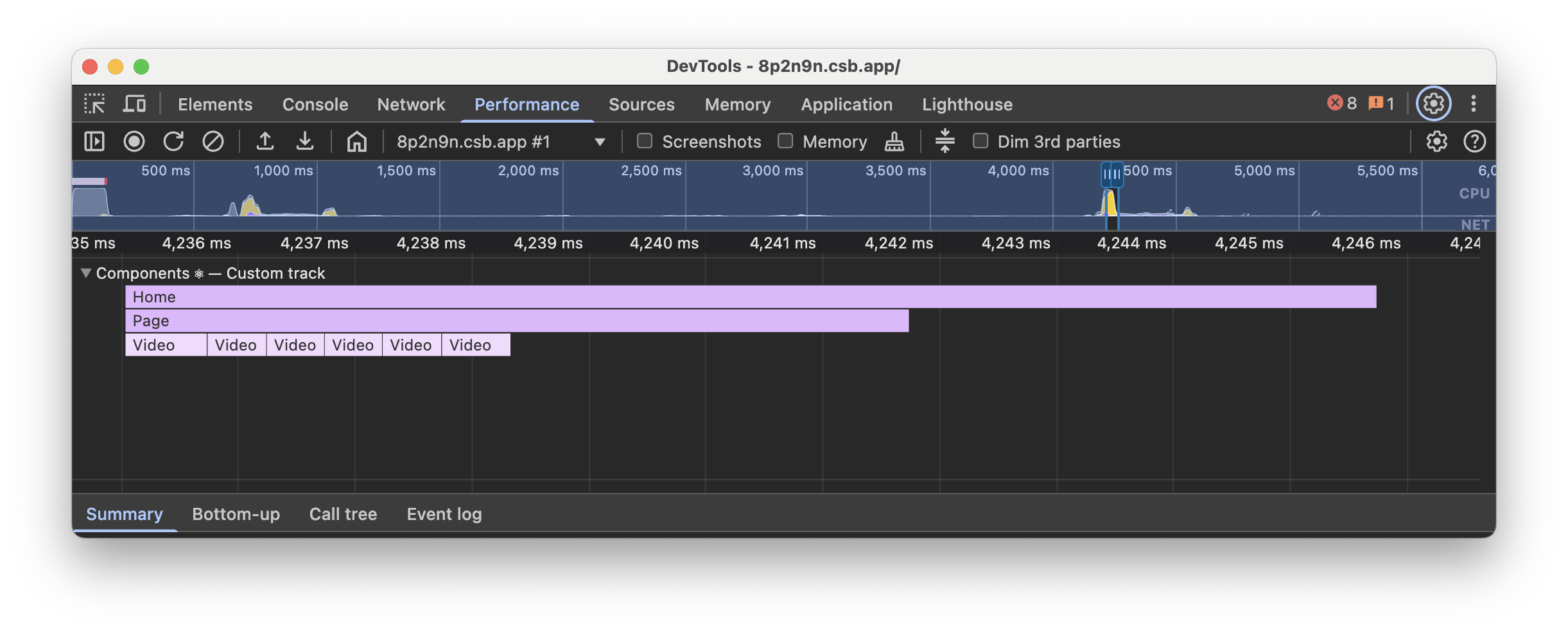
Render மற்றும் effects phases நடக்கும் போது கூடுதல் events display செய்யப்படலாம்:
- Mount - Component renders அல்லது effects-ன் தொடர்புடைய subtree mounted ஆனது.
- Unmount - Component renders அல்லது effects-ன் தொடர்புடைய subtree unmounted ஆனது.
- Reconnect - Mount போலவே, ஆனால்
<Activity>பயன்படுத்தப்படும் cases-க்கு மட்டுமே. - Disconnect - Unmount போலவே, ஆனால்
<Activity>பயன்படுத்தப்படும் cases-க்கு மட்டுமே.
Changed props
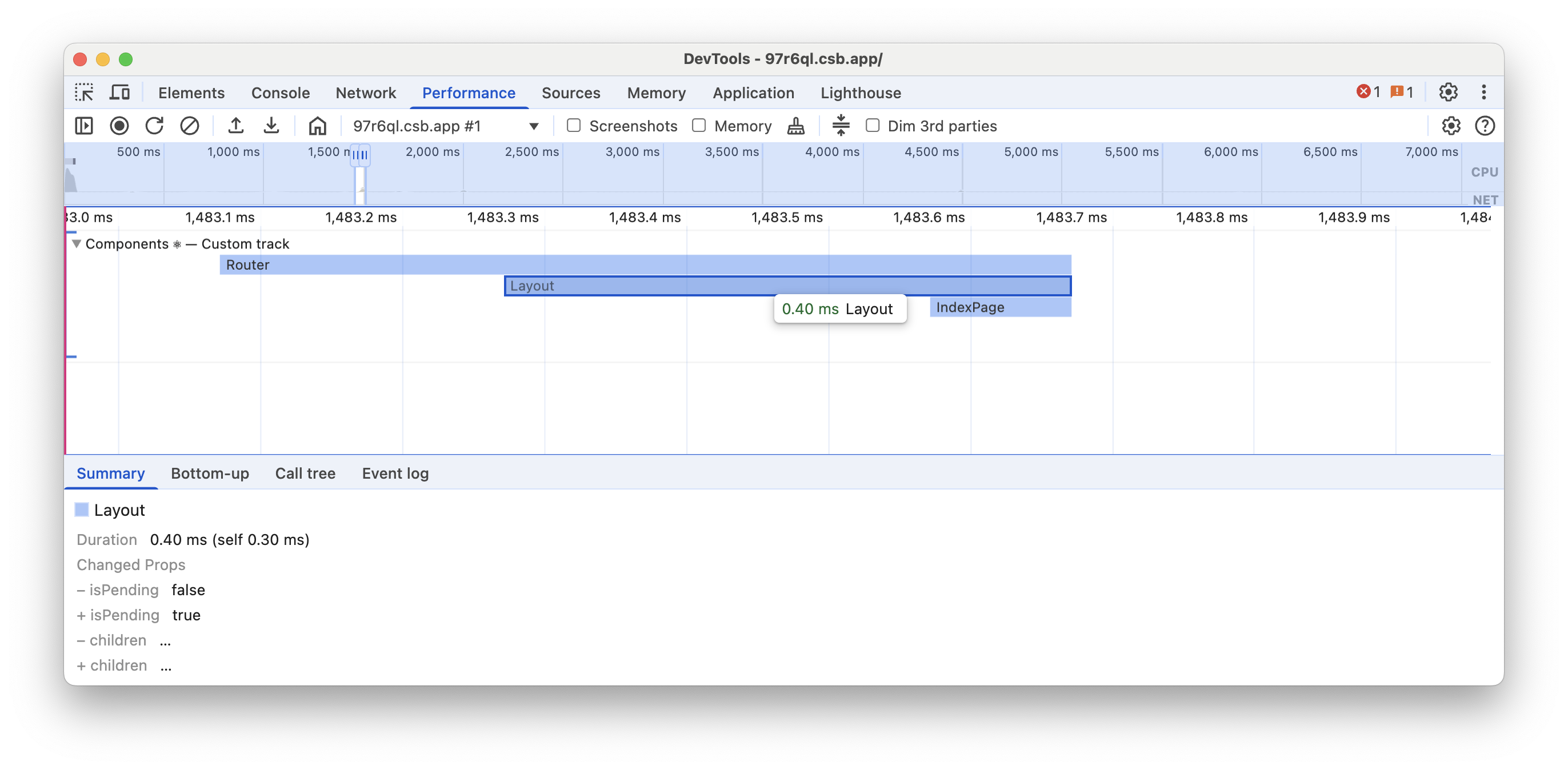
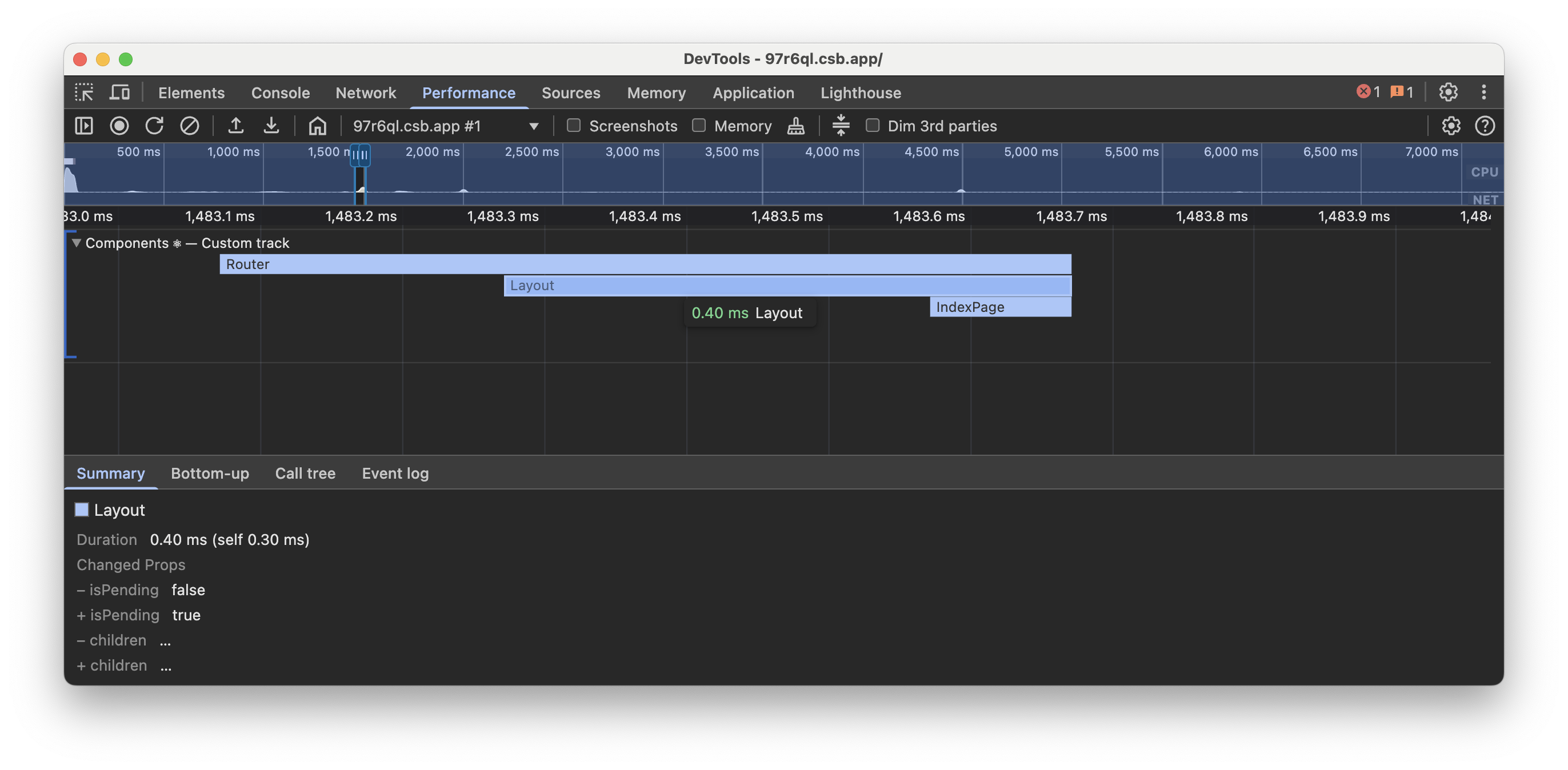
Development builds-இல், component render entry-ஐ click செய்தால் props-இல் ஏற்பட்டிருக்கக்கூடிய changes-ஐ inspect செய்யலாம். தேவையற்ற renders-ஐ identify செய்ய இந்த தகவலைப் பயன்படுத்தலாம்.
Server
Server Requests
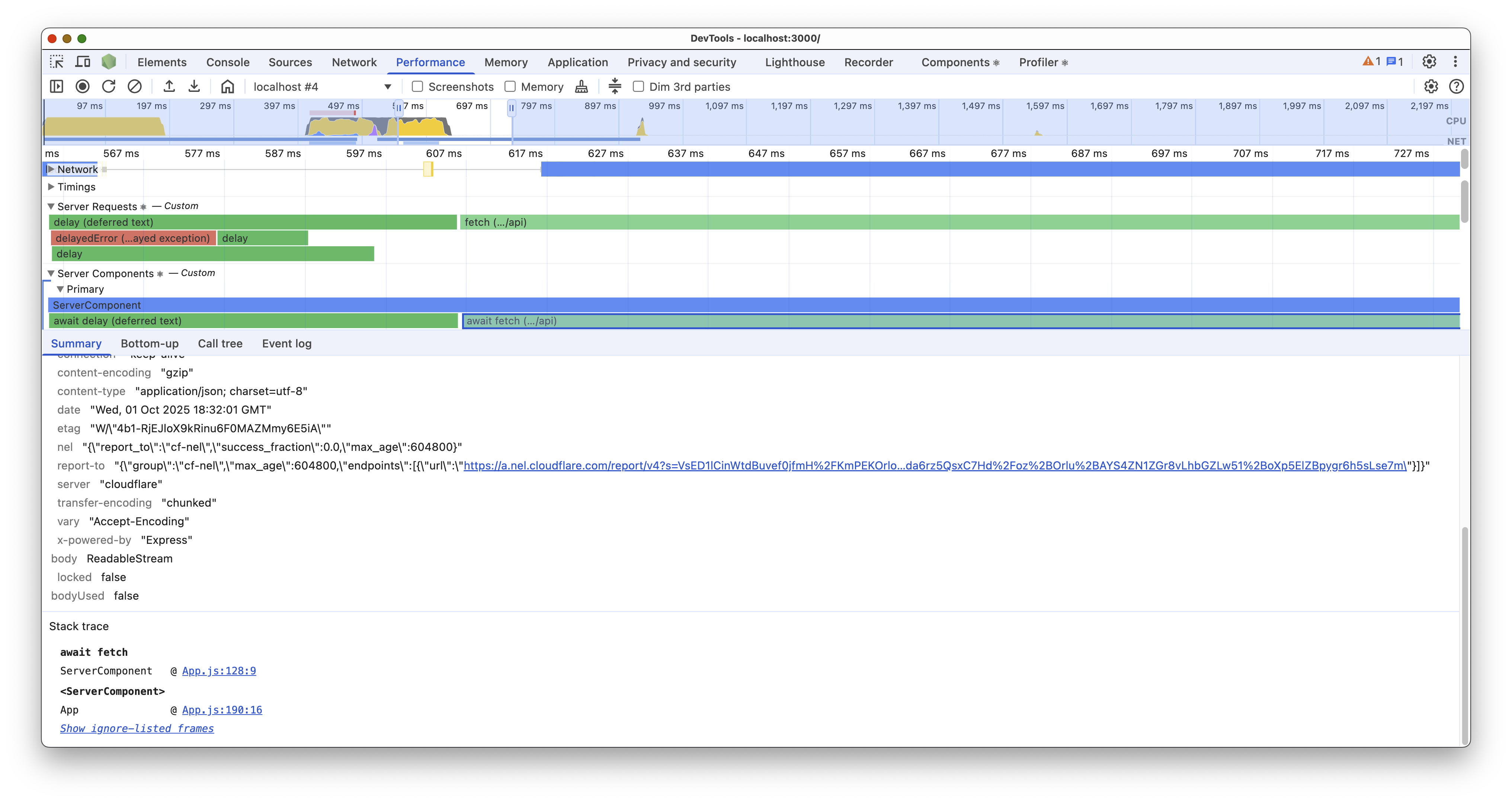
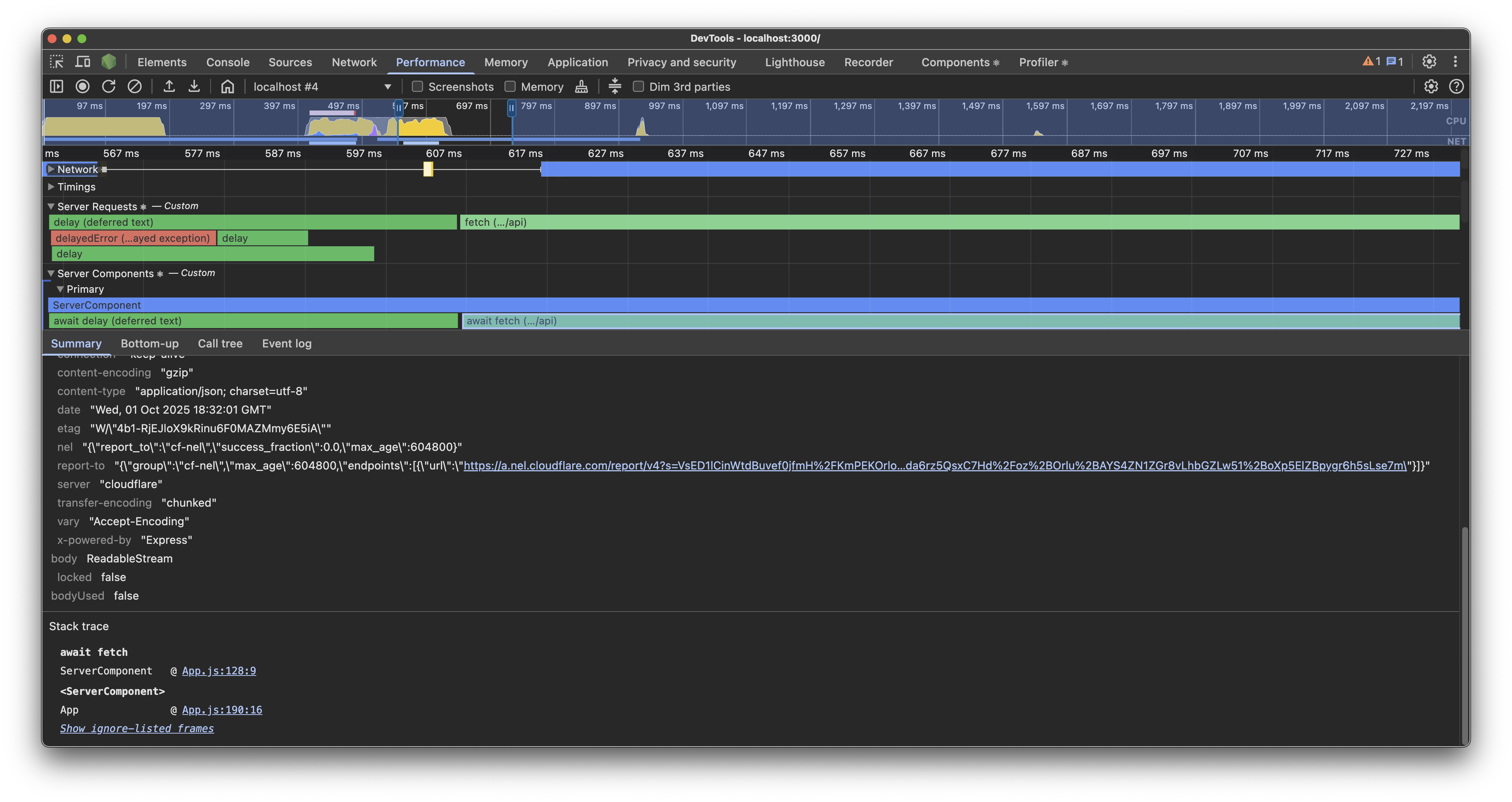
Server Requests track, இறுதியில் React Server Component-இல் முடியும் எல்லா Promises-யையும் visualize செய்கிறது. இதில் fetch call செய்வது அல்லது async Node.js file operations போன்ற எந்த async operations-மும் அடங்கும்.
Third-party code-க்குள் தொடங்கப்படும் Promises-ஐ, 1st party code-ஐ block செய்யும் முழு operation duration-ஐ பிரதிநிதித்துவப்படுத்தும் single span ஆக combine செய்ய React முயற்சிக்கும்.
உதாரணமாக, internally பலமுறை fetch call செய்யும் getUser என்ற third-party library method, பல fetch spans காட்டுவதற்கு பதிலாக getUser என்ற single span ஆக பிரதிநிதித்துவப்படுத்தப்படும்.
Spans-ஐ click செய்தால், Promise எங்கு created ஆனது என்பதற்கான stack trace-யையும், கிடைத்தால் Promise resolve ஆன value-ன் view-யையும் காட்டும்.
Rejected Promises அவற்றின் rejected value உடன் red-ஆக display செய்யப்படும்.
Server Components
Server Components tracks, React Server Components await செய்த Promises-ன் durations-ஐ visualize செய்கின்றன. Timings flamegraph ஆக display செய்யப்படும்; ஒவ்வொரு entry-யும் தொடர்புடைய component render மற்றும் அதன் descendant children components அனைத்திற்குமான duration-ஐ பிரதிநிதித்துவப்படுத்தும்.
நீங்கள் Promise ஒன்றை await செய்தால், அந்த Promise-ன் duration-ஐ React display செய்யும். எல்லா I/O operations-ஐப் பார்க்க Server Requests track-ஐ பயன்படுத்தவும்.
Component render duration-ஐ குறிக்க வேறு colors பயன்படுத்தப்படுகின்றன. Color இருண்டிருக்கிற அளவுக்கு duration நீளமானது.
Server Components track group எப்போதும் “Primary” track ஒன்றைக் கொண்டிருக்கும். React Server Components-ஐ concurrently render செய்ய முடிந்தால், கூடுதல் “Parallel” tracks display செய்யும். 8-க்கும் மேற்பட்ட Server Components concurrently render செய்யப்பட்டால், மேலும் tracks சேர்ப்பதற்கு பதிலாக கடைசி “Parallel” track உடன் அவற்றை React associate செய்யும்.